Modules
| | ||||||
| ||||||
Brush Up!
1. Introduction
This app allows you to brush up your language skills and manage those words that you are studying in a database. Moreover, you can find an annex about pronunciation.
2. First steps
-
Install requiriments:
a) Install Python3
b) Install external libraries(tkinter,sqlite3; matplotlib, time, os, shutil, random, math, webbrowser, PIL, pronouncing, logging, smtplib, email).
In linux (command line):
sudo apt-get install python3-tk
sudo apt-get install libsqlite3-dev
sudo pip3 matplotlib
sudo pip3 Pillow
sudo pip3 pronouncing
-
Download the applicatio here: Brush Up!
-
Start the application by executing the script inside "brush_up/BrushUp/brushup.py". It can be done from the command line: "python3 brushup.py".
-
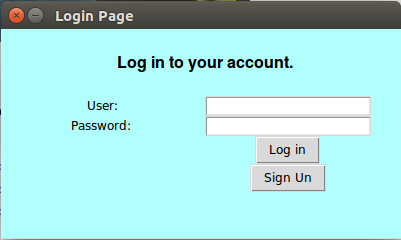
Create your account and then log in. You can also log into the admin's account by using username "admin" and pasword "pass".
-
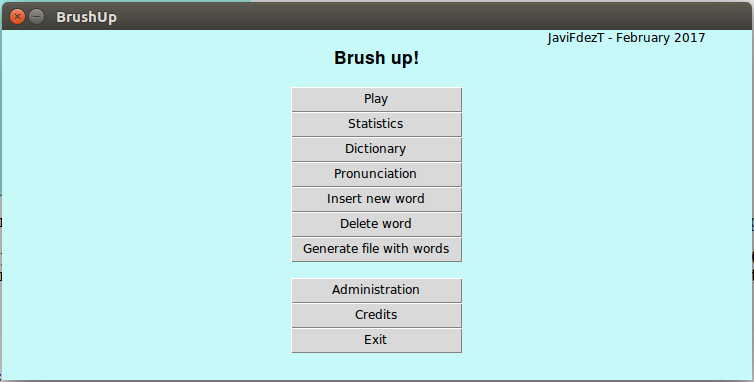
Onced logged into your personal account, the main page will pop up. You dictionary will contain only one word (brush up), so you can import a list of words from the admin's database (brush_up/BrushUp/BBDD/admin.db) by clicking on "Administration"->"Import data from database".
3. Dealing with the dictionary
-
Insert a new word:
On the main menu, you will find the button "Insert new word". If you click on it, a new frame will pop up. There you will have to fill in a form with the new word to be added. The fields marked with an asterisk are obligatory. Once filled in, you can insert the word by clicking on "Insert new word"
-
Delete an existing word:
On the main menu, you will find the button "Delete word". If you click on it, a new frame will pop up. There, you will have to choose the word to be delete and click on "Delete word"
-
Dictionary:
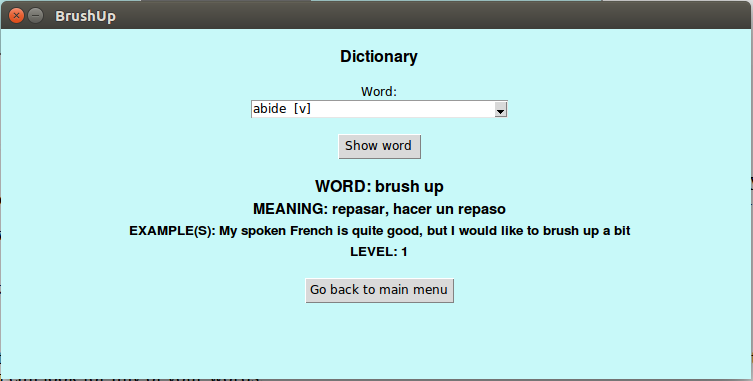
You can access to the information of the all the words inside your database. For that you have to click on the button "Dictionary" on the main menu. On the new frame, you can look for any of your words.
4. Theory
On the main menu, click on the button "Pronunciation".
-
Show theory:
You can find information about the phonemes by clicking on "Pronunciation:vowels", "Pronunciation:diphthong" and "Pronunciation:consonants"
-
Grammar theory:
If the file "DOCS/book.pdf" exists, you will find a button to open this book. This file should be a grammar book.
The developer of this code does not accept any liability with regard to the copyright permissions to show that book. -
Dictionary:
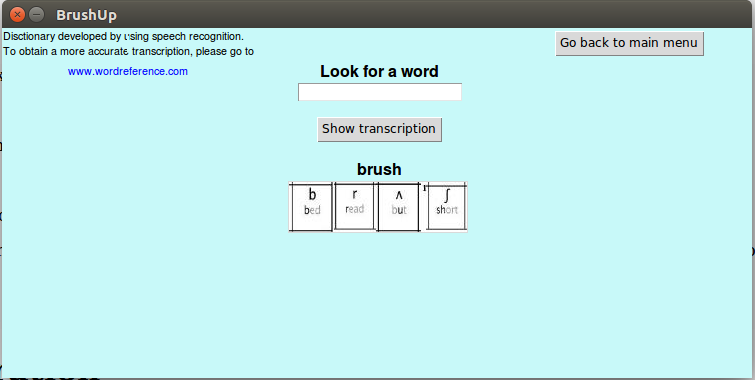
You can obtain the phonetic transcription associated with a specific word by clicking on "Look Up".
5. Configuration
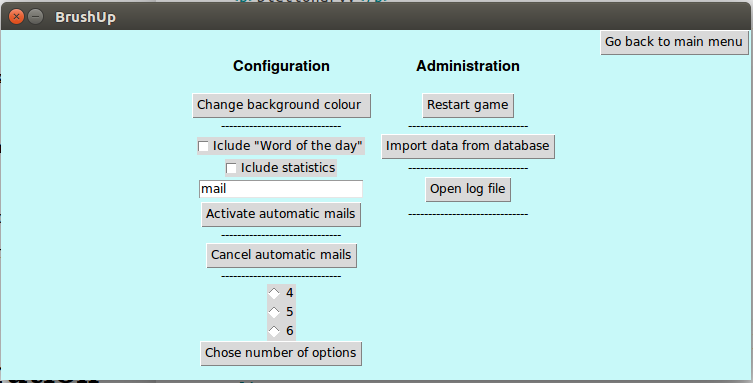
On the main menu, click on the button "Administration".
-
Change background colour:
Click on "Change background colour" and select the desired colour
-
Activate automatic mails:
The user can activate the automatics mails (they are desactivated by default). For that purpose, you have to provide your mail, select the information that you wants to receive (statistics, word of the day) and click on "Activate automatic mails"
-
Activate automatic mails:
The user can desactivate the automatics mails by clicking on "Cancel automatic mails"
-
Choose number of options:
The user can change the number of options of the game. It is 4 by default.
-
Restart game:
The user can update the level of all the words to 1. For that, you have to click on "Restart game"
-
Import data from database:
The user can import data from an external database.
-
Choose number of options:
The user can change the number of options of the game. It is 4 by default. You have to click on "Import data from database" and choose the external database. It can take up to several minutes
6. Game
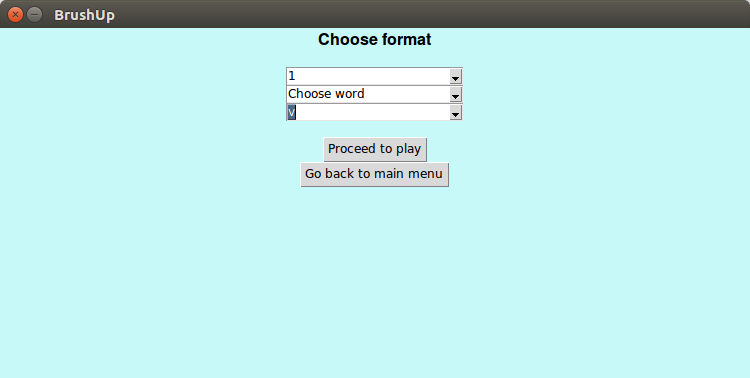
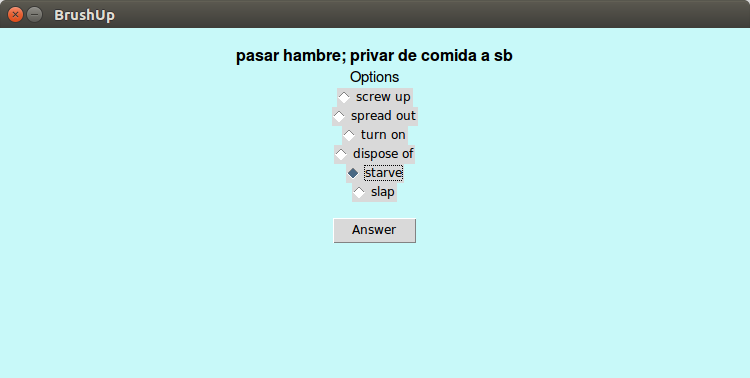
On the main menu, click on the button "Play". Choose the configuration and proceed to play. Note that you will need at least 4,5 or 6 (depending on the number of options chosen) to be able to play.
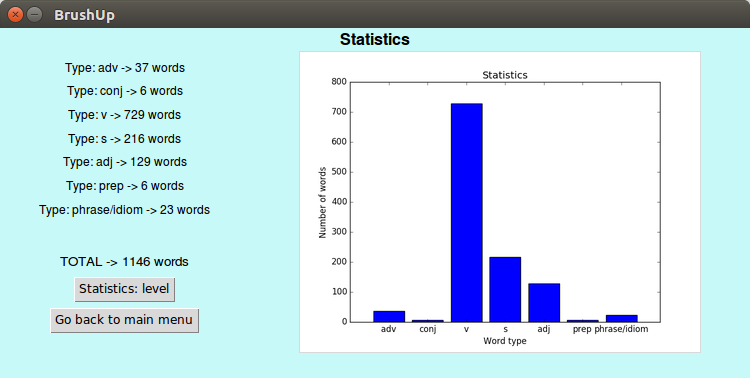
You can see your progress by clicking on "Statistics"
| Javier Fdez. Troncoso | javierfdeztroncoso@gmail.com |